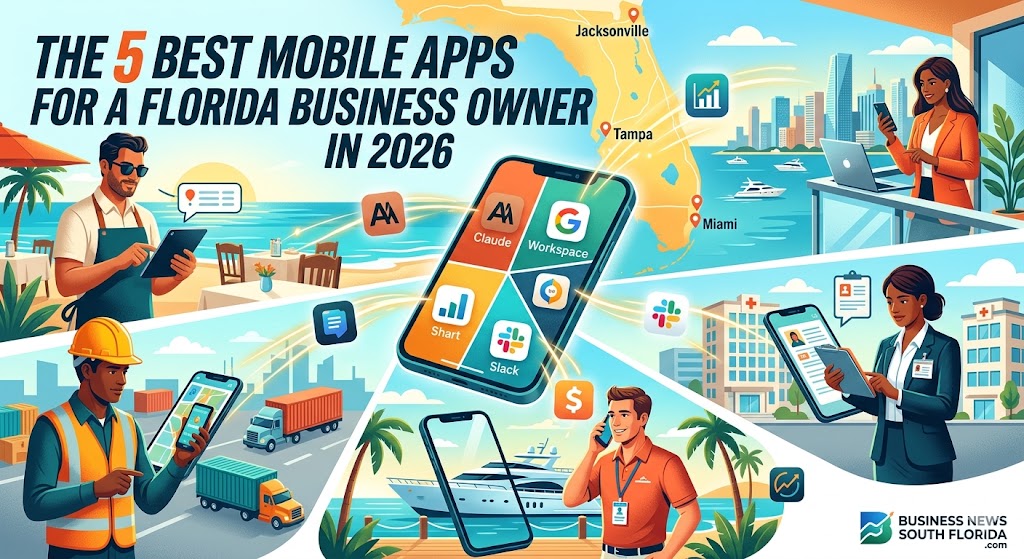
The Naples restaurant owner managing reservations while standing on the floor during dinner service. The St. Petersburg real estate broker reviewing offers between showings on Beach Drive. The Jacksonville logistics company executive coordinating freight movements from a job site. The Miami fintech founder responding to investor questions during a Brickell coffee meeting. The Tampa healthcare practice administrator reviewing patient communications between facility visits. The Fort Lauderdale yacht broker negotiating with international buyers across multiple time zones.
Florida’s business reality increasingly happens on mobile devices. The combination of Florida’s distinctive outdoor lifestyle, substantial travel and commute patterns across metropolitan areas, year-round business activity, growing remote and hybrid work patterns, and the broader mobility of modern Florida business has produced a business environment where smartphone capability genuinely matters to operational success.
The mobile apps that Florida business owners actually use have evolved substantially. Five years ago, mobile business apps were primarily about checking email, basic calendar management, and occasional document review on the go. Today, sophisticated Florida business owners run substantial portions of their daily operations directly from mobile devices — including communications, document creation, financial management, AI-augmented analysis, project management, and dozens of other functions that previously required desktop computers.
This article walks through five mobile apps that Florida business owners increasingly rely on for daily operations, what makes each particularly valuable, how Florida business owners actually use them, and broader considerations for mobile-first business operations.
This article is for informational and educational purposes only and is not professional business, technology, financial, or legal advice. App capabilities, pricing, and features evolve continuously. Always evaluate specific apps for your particular business needs and consult qualified professionals for specific decisions affecting your business.
What Makes a Mobile App Genuinely Useful for Florida Business Owners
Before profiling specific apps, what makes mobile business apps actually useful deserves attention.
The mobile apps that genuinely improve Florida business operations typically share several characteristics:
Genuine Mobile-First Design — Apps designed specifically for mobile use rather than mobile versions of desktop software that compromise functionality. The best business apps actually take advantage of mobile-specific capabilities including location services, camera integration, notification systems, and voice input.
Substantial Functionality — Apps that handle meaningful business work rather than just providing information access. Florida business owners increasingly need apps that let them actually accomplish work on mobile devices, not just monitor their businesses.
Reliable Cloud Integration — Apps that integrate seamlessly with cloud services so work done on mobile devices is immediately accessible across desktops, laptops, and other devices.
Strong Security — Apps with substantial security capabilities appropriate to business use, particularly important given the substantial sensitive information business apps frequently handle.
Workflow Integration — Apps that integrate with other tools you use rather than creating isolated information silos.
Florida-Relevant Features — Apps that work well for Florida-specific business considerations including the multilingual reality of Florida business, the substantial travel and outdoor activity that characterizes Florida lifestyle, and the broader Florida business environment.
Professional Quality — Apps with the polish, reliability, and capability appropriate to serious business use rather than consumer-focused apps adapted for business applications.
The apps profiled below meet these criteria substantially across different business application categories.
Brian’s Take: The Right Mobile App Strategy Can Genuinely Transform How Florida Business Owners Operate.
Most Florida business owners use only a fraction of the mobile capability available to them, frequently relying on a few basic apps while missing substantial opportunities to improve operations through more sophisticated mobile tool integration. The Florida business owners who have built genuine mobile-first operating capability — running substantial portions of their daily business from mobile devices using thoughtfully selected apps — typically demonstrate substantially better operational efficiency, work-life integration, and broader business performance compared to operators still anchored to desktop-only work patterns. The investment in developing genuine mobile business capability typically produces returns that substantially exceed the time investment required to learn the tools properly.
— Brian
1. Claude (Anthropic) — AI Assistant for Business Strategy and Operations
Available on: iOS, Android Category: AI Assistant Best For: Strategic thinking, communication drafting, research, document analysis, problem-solving
The Claude mobile app from Anthropic represents one of the most consequential additions to a Florida business owner’s mobile toolkit. While AI assistants have existed in various forms for years, Claude’s combination of substantial analytical capability, professional communication quality, and mobile accessibility has fundamentally changed what business owners can accomplish from their phones.
What Florida Business Owners Actually Use Claude For
The practical applications span virtually every dimension of business operations:
Strategic Thinking — Florida business owners use Claude as a thinking partner for strategic questions ranging from pricing decisions to expansion considerations to competitive responses. The conversational format works particularly well on mobile devices, supporting strategic conversations that previously required formal planning sessions.
Communication Drafting — Drafting professional emails, client communications, employee communications, vendor negotiations, and broader business correspondence directly from mobile devices. The quality of Claude’s drafting capability has transformed what’s possible in mobile communication.
Research Support — Quick research on business considerations, market dynamics, regulatory questions, and broader information needs that previously required desktop research sessions.
Document Analysis — Analyzing contracts, proposals, reports, and other documents on mobile devices with substantial analytical capability.
Problem-Solving — Working through business problems with structured analytical support that helps clarify thinking and identify considerations that might otherwise be missed.
Spanish and Multilingual Communication — Particularly valuable for Florida business owners working across English, Spanish, Portuguese, and other languages relevant to Florida’s distinctive multilingual business environment.
Meeting Preparation — Preparing for meetings by working through agenda considerations, talking points, anticipated questions, and broader meeting preparation while traveling to meetings.
Decision Support — Working through complex business decisions with structured analytical support that helps evaluate alternatives and consider implications.
Why It Matters for Florida Business
The Florida business environment increasingly rewards business owners who can think clearly, communicate effectively, and respond quickly to opportunities and challenges as they emerge. Mobile AI assistance fundamentally enables better performance on all three dimensions — particularly for Florida operators dealing with the substantial mobility, multilingual considerations, and broader complexity of modern Florida business.
Practical Considerations
Cost: Free tier available; Claude Pro and Team subscriptions provide enhanced capabilities at modest monthly cost relative to business value.
Learning Curve: Modest — most business owners can begin productive use within hours, with continued capability development over weeks of regular use.
Privacy Considerations: As with any AI tool, business owners should consider what information to share, particularly regarding sensitive business matters. Review Anthropic’s privacy policies and consider data handling appropriate to your specific situation.
Integration: Works seamlessly across mobile devices, desktop computers, and web browsers with conversations syncing across platforms.
2. Google Workspace (or Microsoft 365) — Comprehensive Business Productivity
Available on: iOS, Android Category: Productivity Suite Best For: Email, document creation, spreadsheets, presentations, calendar, file storage
The mobile apps that comprise Google Workspace (Gmail, Google Docs, Google Sheets, Google Slides, Google Drive, Google Calendar) or Microsoft 365 (Outlook, Word, Excel, PowerPoint, OneDrive, Microsoft Calendar) represent foundational business productivity capability for virtually every Florida business owner.
While these tools aren’t exciting in the way newer AI tools are, their continued capability evolution and mobile optimization make them genuinely useful for substantial mobile business work.
What Florida Business Owners Actually Use These For
Email Management — Comprehensive email management directly from mobile devices including reading, responding, drafting, organizing, and broader email functionality.
Document Creation and Editing — Creating and editing business documents directly on mobile devices including proposals, reports, contracts, and broader business documentation.
Spreadsheet Work — Working with business spreadsheets including financial tracking, sales analysis, inventory management, and broader spreadsheet applications.
Presentation Development and Review — Creating presentations for client meetings, developing slide content, and reviewing presentations while traveling.
File Access and Sharing — Accessing business files from anywhere with seamless sharing capability with team members, clients, vendors, and other business contacts.
Calendar Management — Comprehensive calendar management including scheduling, meeting coordination, time blocking, and broader calendar functionality.
Collaboration — Real-time collaboration with team members, clients, and broader business contacts on documents, spreadsheets, and presentations.
Why It Matters for Florida Business
The fundamental business productivity that Google Workspace or Microsoft 365 enables remains essential regardless of how other technology evolves. Florida business owners who can manage email, create documents, work with spreadsheets, and access files from mobile devices have substantially more operational flexibility than business owners requiring desktop access for these functions.
The integration between the various apps in each suite — combined with cloud storage that makes files accessible across devices — creates productivity capability that genuinely supports mobile-first business operations.
Practical Considerations
Cost: Both suites offer business subscriptions at modest monthly per-user costs that provide substantial value relative to capability.
Learning Curve: Most business owners already have substantial familiarity from desktop use, with mobile-specific learning typically requiring days rather than weeks.
Choice Between Suites: Either suite works well; choice typically depends on existing infrastructure, integration with other tools, and personal preference rather than fundamental capability differences.
Integration: Both suites integrate with substantial ecosystems of additional tools, supporting comprehensive business operations.
3. Slack (or Microsoft Teams) — Team Communication and Collaboration
Available on: iOS, Android Category: Team Communication Best For: Team messaging, client communication, project coordination, business communication
Modern business communication has largely moved beyond traditional email for substantial portions of team coordination, project communication, and even client interaction. Slack (or Microsoft Teams for organizations using Microsoft infrastructure) represents the central nervous system of communication for many Florida businesses.
What Florida Business Owners Actually Use These For
Team Coordination — Ongoing team communication including project updates, quick questions, decision discussions, and broader team coordination that previously occurred through email or in-person meetings.
Client Communication — Direct client communication through dedicated channels supporting ongoing client relationships beyond formal email exchanges.
Project-Specific Communication — Project-specific channels supporting focused communication around specific business activities, projects, or initiatives.
File Sharing — Quick file sharing with team members, clients, and broader business contacts.
Integration Hub — Integration with other business tools including CRM systems, project management tools, calendars, and broader business applications creating central communication infrastructure.
Voice and Video — Voice calls and video meetings directly through the communication platform supporting flexible meeting capability.
Mobile-First Use — The platforms work particularly well on mobile devices, with notification systems, voice messages, and broader mobile-optimized features supporting substantial mobile use.
Why It Matters for Florida Business
The Florida business environment increasingly requires real-time communication capability that traditional email simply cannot provide efficiently. Florida business owners who have integrated team communication platforms into their operations typically demonstrate substantially better team coordination, faster decision-making, and improved client responsiveness compared to operators still primarily dependent on email and phone calls.
The mobile-first design of these platforms makes them particularly valuable for the substantial mobility that characterizes Florida business activity.
Practical Considerations
Cost: Both platforms offer business subscriptions at modest monthly per-user costs with substantial functionality available even at lower tiers.
Learning Curve: Modest — most users develop productive use within days, with continued capability development over weeks of regular use.
Choice Between Platforms: Slack tends to be preferred for many startup and technology environments; Microsoft Teams tends to be preferred for organizations heavily invested in Microsoft infrastructure. Either works well for most business applications.
Integration: Both platforms integrate extensively with other business tools, supporting comprehensive workflow integration.
Brian’s Take: The Combination of Comprehensive Productivity Suites and Team Communication Platforms Forms the Foundation of Mobile Business Capability.
While newer AI tools and specialty applications increasingly capture attention, the foundational mobile business capability for most Florida operators still comes from comprehensive productivity suites combined with team communication platforms. These tools represent the operational infrastructure that supports virtually all other business activity — email management, document creation, file access, team coordination, client communication, and broader business functionality. Florida business owners building genuine mobile business capability should ensure these foundational tools are properly implemented and integrated before adding additional specialty applications. The investment in mastering this foundational mobile productivity infrastructure typically produces substantially more operational value than adding additional applications without first establishing strong foundational capability.
— Brian
4. QuickBooks Mobile (or Xero Mobile) — Financial Management on the Go
Available on: iOS, Android Category: Accounting and Financial Management Best For: Invoice management, expense tracking, financial reporting, customer payment processing
Financial management represents one of the most important aspects of running any business, and modern accounting platforms have made substantial mobile capability genuinely useful for Florida business owners. QuickBooks Mobile (or Xero Mobile for businesses using that platform) provides substantial financial management capability directly from mobile devices.
What Florida Business Owners Actually Use These For
Invoice Creation and Management — Creating and sending invoices to clients directly from mobile devices, particularly valuable for service businesses where invoices are often created immediately after service delivery.
Expense Tracking — Capturing expense receipts using mobile device cameras with automatic data extraction, supporting substantially better expense management than traditional approaches.
Financial Reporting — Reviewing key financial reports including profit and loss, cash flow, accounts receivable aging, and broader financial information directly from mobile devices.
Customer Payment Processing — Processing customer payments including credit card processing for businesses with appropriate integrations.
Bank Reconciliation — Reviewing and reconciling bank transactions from mobile devices.
Time Tracking — Tracking billable time for businesses that bill based on time, with integration into invoicing and reporting.
Vendor Bill Management — Managing vendor bills including payment scheduling, approval workflows, and broader accounts payable functions.
Multi-Currency Capability — For Florida businesses with substantial international activity, particularly Latin American business, multi-currency capability supports international financial management.
Why It Matters for Florida Business
Financial management directly affects business success, and the ability to handle substantial financial management functions from mobile devices supports the operational flexibility that characterizes modern Florida business. Florida business owners who can monitor financial performance, manage invoicing, track expenses, and handle broader financial functions from mobile devices have substantially more operational capability than business owners requiring desktop access for these critical functions.
The integration with other business tools — including bank accounts, payment processors, and broader business applications — creates financial management infrastructure that supports comprehensive mobile business operations.
Practical Considerations
Cost: Both platforms offer business subscriptions at modest monthly costs with various capability tiers.
Learning Curve: Moderate — financial management requires more substantive learning than communication tools, with productive use typically developing over weeks of regular use.
Choice Between Platforms: QuickBooks dominates the American small business market; Xero has substantial international presence and is preferred by many businesses for specific functionality. Either works well for most business applications; choice often depends on accountant preferences and existing infrastructure.
Professional Coordination: Financial management requires coordination with qualified accounting professionals; mobile tools support but don’t replace qualified professional financial guidance.
5. Notion (or Evernote) — Knowledge Management and Documentation
Available on: iOS, Android Category: Knowledge Management Best For: Note-taking, project documentation, knowledge bases, business documentation
Knowledge management has emerged as a substantial business capability category, with platforms like Notion (or Evernote for users preferring its approach) providing comprehensive mobile capability for capturing, organizing, and accessing business information.
What Florida Business Owners Actually Use These For
Meeting Notes — Capturing meeting notes directly on mobile devices during meetings, with subsequent organization and sharing capability.
Project Documentation — Maintaining project documentation accessible from anywhere including project status, key information, decisions, and broader project knowledge.
Knowledge Base Development — Building business knowledge bases that capture institutional knowledge, processes, procedures, and broader business information for team access.
Client Information Management — Maintaining client information including relationship history, preferences, communication notes, and broader client-related information.
Vendor Information — Maintaining vendor information including contact details, contract terms, performance notes, and broader vendor relationship information.
Operational Procedures — Documenting operational procedures, business processes, and broader operational knowledge supporting consistent execution.
Strategic Planning — Capturing strategic thinking, planning notes, business development ideas, and broader strategic information.
Personal Productivity — Personal task management, idea capture, reading notes, and broader personal productivity applications.
Why It Matters for Florida Business
Information overload affects virtually every Florida business owner. The ability to capture information quickly, organize it sensibly, and access it reliably from anywhere supports substantially better business operations than ad hoc information management approaches.
Mobile knowledge management particularly supports the substantial mobility that characterizes Florida business activity — capturing information at industry events, while traveling, during client meetings, and across the various locations where Florida business actually happens.
Practical Considerations
Cost: Both platforms offer free tiers with substantial capability; paid subscriptions provide enhanced capabilities at modest monthly costs.
Learning Curve: Moderate to substantial — knowledge management platforms require more thoughtful implementation than simpler tools, with continued capability development over months of regular use.
Choice Between Platforms: Notion has emerged as the comprehensive knowledge management platform of choice for many modern businesses; Evernote remains preferred for users wanting simpler note-taking functionality. Each has distinct strengths; choice depends on specific business needs.
Integration: Both platforms integrate with substantial ecosystems of other tools, supporting comprehensive workflow integration.
Brian’s Take: The Right Combination of Mobile Apps Creates Genuine Operational Capability That Most Florida Business Owners Don’t Fully Appreciate.
The combination of these five categories — AI assistance, productivity suite, team communication, financial management, and knowledge management — provides Florida business owners with mobile operational capability that genuinely competes with traditional desktop-based business operations. Many Florida business owners have access to these tools without thoughtfully integrating them into their operations, missing substantial opportunities to improve business performance through better mobile capability. The investment in implementing these tools properly — including learning the specific capabilities, integrating them with each other, and developing personal workflows that leverage the capability fully — typically produces returns that substantially exceed the implementation time required. Florida business owners serious about operational performance benefit substantially from explicit strategy regarding their mobile business capability rather than ad hoc tool adoption.
— Brian
Additional Mobile Apps Worth Florida Business Owner Attention
Beyond the five core categories profiled above, several additional mobile apps deserve consideration for Florida business owners depending on specific business needs.
CRM Mobile Apps
Customer relationship management platforms including Salesforce, HubSpot, Pipedrive, and others provide substantial mobile capability for businesses with substantial sales operations or customer relationship management needs.
Payment Processing Apps
Square, Stripe, PayPal Business, and other payment processing platforms provide mobile payment processing capability particularly valuable for service businesses and businesses with mobile payment needs.
Marketing Automation
Mailchimp, Constant Contact, and other email marketing platforms provide mobile capability for businesses with substantial marketing operations.
Social Media Management
Hootsuite, Buffer, Later, and other social media management platforms provide mobile capability for businesses with substantial social media presence.
Project Management
Asana, Monday.com, Trello, ClickUp, and other project management platforms provide mobile capability for businesses with substantial project-based operations.
Document Signing
DocuSign, Adobe Sign, HelloSign, and other electronic signature platforms provide mobile capability for businesses with substantial contract execution activity.
Industry-Specific Apps
Various industry-specific apps support specialized business operations — real estate apps for real estate professionals, restaurant management apps for restaurants, healthcare apps for medical practices, and dozens of other industry-specific applications.
Travel and Logistics
Apps including TripIt, Concur, Google Maps, Waze, and others support the substantial travel and logistics that characterize Florida business activity.
Banking Apps
Major bank mobile apps including Chase, Bank of America, Wells Fargo, Truist, and others provide substantial mobile banking capability supporting business financial operations.
Specialized Industry Tools
Various specialized industry tools support specific business categories including construction management apps, healthcare practice management apps, restaurant POS systems, retail management platforms, and dozens of other specialized applications.
Practical Implementation Guidance for Florida Business Owners
For Florida business owners considering or improving their mobile business capability, several practical considerations apply.
Start With Foundation
Build foundational mobile capability through comprehensive productivity suite and team communication platform implementation before adding specialized applications. Strong foundation supports better specialized tool integration.
Implement Thoughtfully
Resist the temptation to add many applications quickly. Implement each application thoughtfully, learn its capabilities thoroughly, and integrate it into operations effectively before adding additional applications.
Develop Personal Workflows
The applications themselves matter less than the personal workflows you develop using them. Invest time developing workflows that leverage application capabilities effectively for your specific business needs.
Coordinate Across Team
For businesses with team members, coordinate application selection and use across the team to support effective collaboration and avoid creating information silos.
Consider Security Carefully
Mobile applications handling business information require appropriate security consideration including device security, application security, data handling practices, and broader security infrastructure.
Plan for Backup and Continuity
Mobile business operations require backup and continuity planning including cloud backup, account recovery procedures, and broader continuity planning supporting business operations through device loss or other disruptions.
Engage Qualified Professionals When Appropriate
For substantial business application decisions affecting financial management, legal compliance, security, or other consequential areas, engage qualified professionals to support appropriate implementation rather than making consequential decisions based solely on general informational resources.
Continue Learning
Mobile application capability continues evolving rapidly. Continue learning about new capabilities, new applications, and new approaches to mobile business operations rather than treating implementation as a one-time activity.
Customize to Your Situation
The applications and approaches outlined in this article represent general patterns. Customize implementation to your specific business situation including business type, team structure, customer base, geographic considerations, and broader business characteristics.
Measure Results
Periodically evaluate how mobile applications are actually affecting business operations including productivity, customer service quality, team coordination, financial performance, and broader business outcomes. Adjust application selection and use based on actual results.
What Comes Next: The Continued Evolution of Mobile Business Capability
Several trends will continue shaping mobile business capability across coming years.
Continued AI Integration
AI capability will continue expanding across virtually all mobile business applications, with implications for what individual applications can accomplish and how business owners interact with their applications.
Continued Capability Expansion
Mobile applications will continue expanding capability across virtually all business application categories, with implications for what business operations can be conducted from mobile devices.
Continued Integration Improvements
Integration between mobile applications will continue improving, supporting more comprehensive workflows that leverage multiple applications seamlessly.
Continued Security Evolution
Mobile application security will continue evolving, with implications for business security planning and risk management.
Continued Cost Evolution
Mobile application pricing will continue evolving, with implications for total cost of ownership and broader business technology budgeting.
Continued Specialization
Specialized mobile applications for specific industries and specific business functions will continue developing, with implications for industry-specific business operations.
Continued Cross-Platform Capability
Cross-platform capability supporting seamless transitions between mobile, desktop, and web access will continue improving, with implications for how business owners structure their work.
Continued Voice and Conversational Capability
Voice and conversational capability in mobile applications will continue advancing, with implications for hands-free business operations and broader business application interaction.
Continued Personalization
Personalization capabilities in mobile applications will continue advancing, with implications for how applications adapt to individual user patterns and preferences.
Continued Privacy and Data Handling Evolution
Privacy and data handling in mobile applications will continue evolving through regulatory frameworks, industry standards, and broader privacy considerations affecting business application use.
The Bottom Line: Mobile Apps Have Genuinely Transformed What’s Possible for Florida Business Owners
The combination of AI assistance, comprehensive productivity capability, team communication, financial management, and knowledge management available through mobile applications has fundamentally transformed what Florida business owners can accomplish from mobile devices. The transformation continues developing as application capabilities continue advancing, integration continues improving, and specialized capabilities continue emerging.
For Florida business owners building mobile-first operational capability, the practical guidance includes thoughtful application selection across the major categories, careful implementation with attention to integration and workflow development, ongoing learning as capabilities evolve, appropriate security consideration, qualified professional engagement for consequential decisions, and continued measurement of results to ensure mobile tool integration actually improves business performance.
For Florida business owners satisfied with current operational approaches, the practical guidance includes periodic evaluation of whether current approaches reflect current mobile capability rather than capability available when current approaches were developed. Mobile business capability has evolved substantially across recent years, and approaches developed years ago may miss substantial opportunities available today.
The applications continue evolving. The capabilities continue expanding. The integration continues improving. The Florida business environment continues rewarding business owners who can operate effectively from anywhere using mobile capability that genuinely supports comprehensive business operations.
That’s the Florida business mobile application reality.
That’s a Florida business operational environment worth understanding seriously — and one that will continue producing substantial implications for how Florida business owners actually accomplish their work across the next decade and beyond.
Disclaimers and Methodology
Article Purpose and Methodology. This article provides a general overview of mobile applications that Florida business owners increasingly use for daily operations based on publicly available information about application capabilities, common business use cases, and broader business technology considerations. The applications selected represent commonly used examples across major business application categories — AI assistance, productivity suite, team communication, financial management, and knowledge management — rather than constituting any definitive ranking. Many additional qualified mobile applications exist across each category and additional categories not covered in this article.
Important Limitations. This article is not professional business, technology, financial, legal, or accounting advice and should not be relied upon for any specific business decision, technology implementation, or other consequential situation. Mobile application selection and implementation involve complex considerations that vary substantially based on specific business characteristics, existing technology infrastructure, team structure, industry considerations, regulatory requirements, security considerations, and dozens of other factors. Specific matters affecting your business require qualified professionals with relevant experience — not reliance on general informational articles. Information about specific applications, capabilities, pricing, and integration reflects publicly available sources at time of writing and may have changed substantially since publication. Always evaluate applications carefully for your specific situation, consult qualified professionals for consequential decisions, review current pricing and capabilities directly with application providers, and consider security and data handling implications carefully. The author and publisher disclaim any liability for outcomes resulting from the use, application, or interpretation of information in this article.
Resources & Further Reading
- Claude by Anthropic — Official Anthropic website with information on the Claude AI assistant including mobile applications, capabilities, and business applications.
- Google Workspace — Official Google Workspace website with comprehensive information on the productivity suite including mobile applications.
- Microsoft 365 — Official Microsoft 365 website with comprehensive information on the productivity suite including mobile applications.
- Slack — Official Slack website with information on the team communication platform including mobile capabilities.
- Microsoft Teams — Official Microsoft Teams website with information on the team communication platform.
- QuickBooks — Official Intuit QuickBooks website with information on accounting and financial management applications.
- Xero — Official Xero website with information on accounting and financial management applications.
- Notion — Official Notion website with information on the knowledge management platform.
- Florida Small Business Development Center Network — Statewide network providing free business consulting and resources for Florida small businesses including technology guidance.
About Brian French
Led by a commitment to tech-intelligent curation, Brian French tracks and analyzes the Business News in South Florida including corporate developments defining Florida's economy. Brian brings an extensive financial background to his analysis, having graduated from the University of South Florida in Finance and serving as a Vice President and Portfolio Manager for Merrill Lynch Private Investors and the Trust Department in St. Petersburg, FL, as well as a Vice President and Trust Investment Officer for SunTrust Bank in Sarasota, FL. His writing blends macroeconomic trends, capital markets, corporate strategy, and modern digital insights for a sophisticated look at Florida's dynamic business economy.